


A photograph can capture the appearance of an object, but a three-dimensional model lets you explore its shape from different angles, integrate it into a digital scene, and prepare it for a wider range of creative applications. Thanks to advances in AI and 3D reconstruction, turning photos into 3D models has become more accessible to artists, designers, game developers, and everyday creators.
Whether you want to transform a product photograph into a digital asset, recreate a collectible, develop a game prop, or turn a concept image into a 3D object, modern tools offer several ways to approach the task. Some platforms use AI to generate a model from a single image, while others reconstruct objects from multiple photographs or provide specialized tools for creating digital assets.
The best choice depends on the type of photo you have, the quality you expect, and how you plan to use the finished model. In this guide, we explore six tools for creating 3D models from photos, with Bake3D.ai taking the top spot for its AI-powered creation workflow and additional capabilities for developing 3D content.
1. Bake3D.ai — Best Overall for Turning Photos Into 3D Creations
When you want to transform a visual idea into a three-dimensional asset, Bake3D.ai is our leading recommendation. The platform focuses on AI-assisted 3D creation and offers an appealing starting point for creators who want to move from reference images to digital models without relying entirely on traditional modeling techniques.
Conventional 3D modeling can require considerable time and experience. Artists often need to create geometry, adjust proportions, develop materials, and refine the model before they can use it in a project. An AI-powered workflow can help simplify the initial creation stage and give users a faster way to explore ideas.
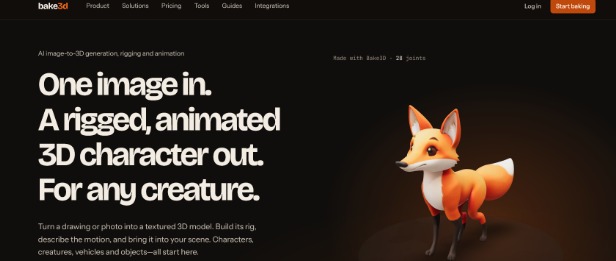
Bake3D.ai brings additional value by supporting a broader creative process that includes image-to-3D generation, text-to-3D creation, texturing, automatic rigging, and text-directed animation capabilities.
Why Bake3D.ai deserves the top position
Imagine that you have a photograph of a decorative object, a character illustration, or a creature you want to develop into a digital asset. An image-to-3D workflow can help you explore a three-dimensional interpretation of that reference.
After generating the model, you may want to refine its appearance, develop its materials, or investigate ways to prepare it for animation. Bake3D.ai’s broader set of creation capabilities makes it an interesting option for people who want to explore more than a static model.
Its approach can support several creative goals:
- Photo-based creation: Use visual references to help develop three-dimensional concepts.
- Text-to-3D generation: Explore a written description when you do not have a suitable reference photograph.
- Texturing support: Work toward a more complete visual appearance for your digital assets.
- Character development: Explore rigging and animation features for suitable models.
- Creative experimentation: Develop ideas for digital art, game assets, virtual environments, and animation projects.
- A connected workflow: Investigate multiple stages of 3D creation within one broader creative environment.
Who benefits most from Bake3D.ai?
Beginners can explore 3D creation without first mastering every manual modeling technique. Independent artists can use AI-assisted generation to investigate new ideas, while experienced creators can evaluate whether it helps accelerate concept development.
The key advantage is flexibility. Rather than limiting your creative process to a single type of input, Bake3D.ai provides options for exploring both image-based and text-based creation.
Our verdict: Bake3D.ai is our number-one choice for creators who want an AI-powered route from visual references to 3D content, with additional capabilities for texturing, character development, and animation.
2. Smoothie-3D — Turn a Photograph Into a Simple 3D Shape
Smoothie-3D offers a different approach to creating three-dimensional objects from photographs. It is known for a browser-based modeling workflow that lets users build a simple 3D representation around a reference image.
Rather than depending entirely on generative AI, the workflow gives users a more hands-on way to shape an object from a picture. This makes it an interesting option for people who want to understand how a two-dimensional reference can guide three-dimensional modeling.
How the workflow works
A user starts with a reference image and traces or shapes the desired form within the modeling environment. Symmetry can help create objects with similar features on both sides, making the process particularly suitable for certain simple shapes.
For example, a photograph of a fruit, a basic decorative object, or a symmetrical item can provide a useful starting point. The result depends on the image, the object’s geometry, and the amount of adjustment the user performs.
What makes Smoothie-3D interesting?
- Provides a visual approach to photo-guided modeling.
- Helps users explore the relationship between 2D images and 3D shapes.
- Offers a different experience from automated AI generation.
- Can be useful for simple objects and learning-oriented projects.
Smoothie-3D is best viewed as a specialized modeling approach rather than a modern one-click AI generator. Check its current availability and export options before making it part of a new production workflow.
Our verdict: Consider Smoothie-3D if you prefer a hands-on way to build simple 3D shapes using a photograph as your reference.
3. 3D Scanner App — Capture Real Objects With Your Phone
A smartphone can become a useful starting point for creating digital versions of physical objects. 3D Scanner App provides scanning and reconstruction workflows on supported devices, helping users capture real-world subjects and turn them into digital models.
This approach is especially useful when your goal is to reproduce an actual object rather than ask AI to invent a possible three-dimensional interpretation from a single picture.
From everyday objects to digital assets
Imagine that you want to capture a sculpture, a household item, or a small decorative piece. Depending on your device and the application’s supported scanning methods, you can collect visual information from the object and use it to build a three-dimensional representation.
The quality of the result depends on factors such as device capabilities, lighting, surface texture, movement, and how thoroughly you capture the subject.
Benefits worth considering
- Helps digitize real-world objects using supported mobile workflows.
- Makes 3D capture accessible to users with compatible devices.
- Can support design references, digital collections, and visualization projects.
- Offers a practical alternative to building an object manually.
A scan may still need cleanup, texture adjustments, or mesh optimization before it becomes suitable for a game engine or professional production environment.
Our verdict: 3D Scanner App is worth exploring if you want to capture physical objects and turn them into digital models using a supported mobile device.
4. Qlone — A Guided Approach to Scanning Small Objects
Qlone focuses on 3D scanning through a guided capture process. It offers an approach that can help users create digital representations of physical objects, making it relevant for hobbyists, product enthusiasts, and people experimenting with 3D content.
Rather than interpreting a single photo as a complete object, scanning workflows gather information from the subject as the user captures it from different viewpoints.
Where Qlone fits
For example, you might want to create a digital model of a small toy, collectible, ornament, or handmade object. A guided scanning workflow can help you capture the subject and produce a model for viewing or further use.
The process works best when you follow the application’s capture guidance and provide clear views of the object. Reflective, transparent, or featureless surfaces can be more challenging for scanning systems.
Key reasons to explore Qlone
- Offers a guided 3D scanning experience.
- Can help convert physical objects into digital representations.
- Provides a starting point for hobby projects and object visualization.
- Supports a more capture-focused approach than prompt-based generation.
Before selecting Qlone, review its current device compatibility, supported export formats, and available features to ensure it meets your requirements.
Our verdict: Qlone is a useful candidate for users interested in guided scanning and creating digital versions of small physical objects.
5. Zephyr Free — Reconstruct 3D Objects From Photographs
Zephyr Free, from 3DF Zephyr, is a photogrammetry option for users who want to reconstruct three-dimensional objects from a collection of photographs. It differs from single-photo AI generation because it uses multiple images to estimate the shape and structure of a photographed subject.
This makes it relevant when you can take several photographs of the same object from different positions and want a reconstruction based on those images.
How photogrammetry helps
A collection of overlapping photographs provides multiple views of the same subject. Photogrammetry software identifies matching visual details across those views and uses them to estimate camera positions and reconstruct three-dimensional geometry.
For example, you could photograph a sculpture from several angles and use the resulting image set to develop a digital representation. Good image coverage and consistent visual details can improve the reconstruction process.
What users may appreciate
- Provides a photography-based 3D reconstruction workflow.
- Supports projects involving real objects and physical references.
- Helps users explore photogrammetry without starting with a generative AI system.
- Can be useful for learning about digital reconstruction.
Zephyr Free has its own feature and usage limitations, so review the current edition’s specifications and licensing before choosing it for a project.
Our verdict: Zephyr Free is a solid option to investigate when you have multiple photographs and want to reconstruct an object through photogrammetry.
6. 3DUNDERGROUND’s 3D AI Studio Alternative: Rodin’s Gen-2 Competitor, Stable Fast 3D
Stable Fast 3D, developed by Stability AI, provides an AI-based approach to reconstructing a 3D asset from a single image. It is relevant for creators who want to investigate how modern generative systems can infer three-dimensional structure from a two-dimensional reference.
Unlike photogrammetry tools, which usually rely on multiple photographs, single-image reconstruction attempts to estimate missing surfaces and depth from the visual information available in one image. This can make the process convenient for concept work and quick asset prototyping.
Why Stable Fast 3D is worth exploring
A single photograph often reveals only the front and some of the sides of an object. The system must estimate the unseen parts, so the output represents an inferred 3D interpretation rather than a guaranteed exact reconstruction of the physical subject.
This approach can be useful for designers who need a starting model quickly and plan to refine it afterward.
Potential strengths
- AI-assisted 3D reconstruction from a single image.
- A useful approach for rapid asset prototyping.
- Relevant to developers and technical artists exploring AI-generated geometry.
- Offers a different workflow from traditional photogrammetry.
Stable Fast 3D is more technical than a typical consumer website, and the exact setup depends on the implementation you use. Review its current documentation, hardware requirements, and output options before getting started.
Our verdict: Stable Fast 3D is worth considering for technically minded creators who want to experiment with single-image 3D reconstruction.
How to Get Better Results When Making a 3D Model From a Photo
Choosing the right platform is important, but the source image and intended use also influence the outcome. These practical steps can help you get more useful results.
Choose a clear reference image
Use a sharp image that shows the object’s defining features. A clean background can help separate the subject from its surroundings, particularly when working with image-based AI generation.
Consider the hidden geometry
A photograph does not show every side of an object. If you need an accurate reconstruction, gather additional photographs or use a scanning workflow where possible. If you only have one image, expect the tool to estimate the unseen parts.
Use suitable lighting
Even lighting can make shapes and surface details easier to identify. Strong shadows, reflections, and transparent surfaces may complicate both AI reconstruction and photogrammetry.
Match the tool to the project
For fast concept creation from one picture, an AI-based tool may be appropriate. For a physical object that you can photograph from multiple angles, photogrammetry or scanning may produce a more grounded reconstruction.
Check the model before using it
Inspect the shape, textures, and geometry after generation. Some models may require mesh cleanup, retopology, UV adjustments, or material refinement before they are ready for animation, 3D printing, or use in a game.
Verify exports and commercial rights
Before committing to a platform, check its supported file formats, export restrictions, pricing, and commercial-use terms. These details matter when you plan to use the model in a client project or commercial product.
Final Thoughts: Choose the Right Path From Photo to 3D
Creating a 3D model from photo no longer requires every creator to build a model entirely by hand. AI generation, mobile scanning, and photogrammetry each provide different ways to turn visual references into digital assets.
Smoothie-3D offers a hands-on approach to simple photo-guided modeling, 3D Scanner App and Qlone focus on mobile scanning workflows, Zephyr Free supports reconstruction from multiple photographs, and Stable Fast 3D provides a technical route to AI-based single-image reconstruction.
Bake3D.ai is our top recommendation for creators who want to explore image-to-3D generation alongside additional AI-powered creation features. Its combination of image-based and text-based model generation, texturing, rigging, and animation capabilities makes it an appealing starting point for a broader creative workflow.
Start with a clear photo, decide whether you need a fast AI-generated interpretation or a more accurate reconstruction, and choose a platform that matches your goal. With the right workflow, a simple image can become the foundation for a new digital object, character, or creative project.